

How do I track behavior on my website?
- Create a Conviz account and add your website.
- Install the tracking script using the instructions for your site.
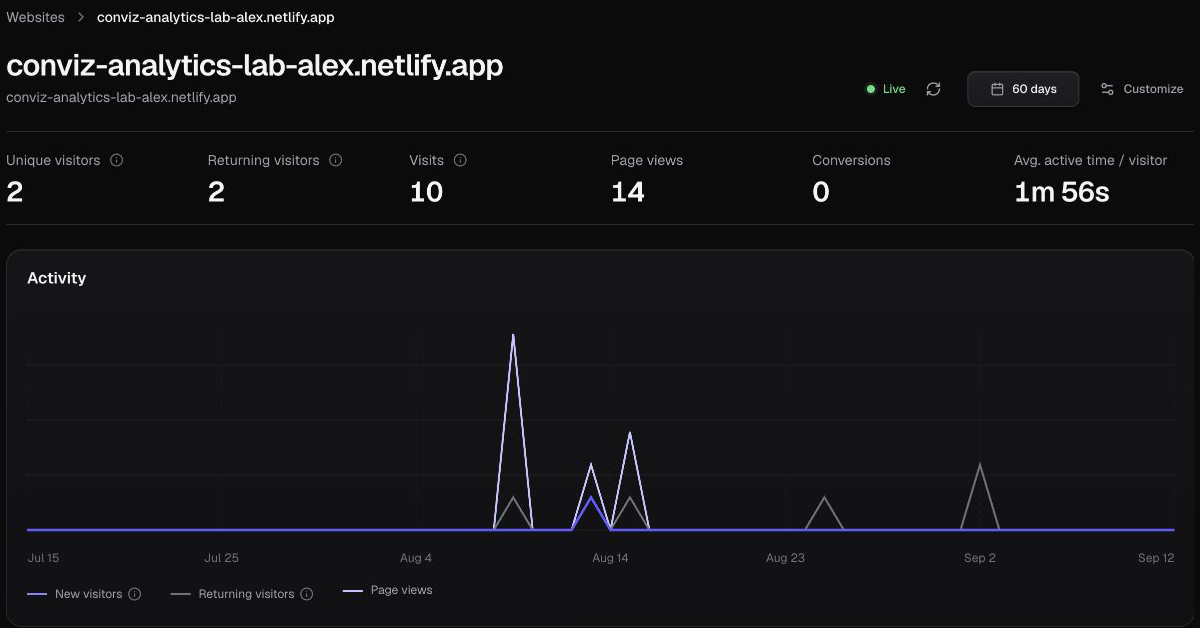
- Confirm that a real visit has arrived. Adding a website alone does not mean tracking is working.
- Choose and confirm a conversion goal. Inspect the journeys and behavior before that goal.
What should I look at first?
Start with one business question, such as whether pricing visitors continue to signup. Compare people who reached your selected goal with those who did not. Review the pages, controls and forms that differ between those groups before deciding what to change.
Unresponsive and repeated clicks are signals for investigation. A click without a detected response may be an ordinary interaction; it does not prove a broken button. Look for a recurring pattern and inspect the actual page.
Which website analytics tool is best for me?
Choose around the decision you need to make. Traffic reporting answers acquisition questions. Behavior analytics helps inspect what happens after arrival. If you need journeys, form progression and conversion comparisons in one workflow, those are the areas to evaluate in Conviz.
Free tools can be useful, too. Compare coverage, installation effort, retention and the evidence behind each recommendation. Do not judge a tool by the number of charts alone.
Does it explain why visitors leave?
Conviz separates recorded observations from possible explanations. It can show a journey ended after a particular step, but that alone cannot tell you the visitor’s intention or prove what caused the exit. Recommendations should lead to a test, not a guaranteed diagnosis.
Start with a measurable goal
Read the conversion goal guide, then inspect the path to that goal. Public website checks examine page structure; installed tracking measures actual visits.
From an early customer
“Very easy. No confusing parts.”
Feedback about using Conviz. This is not evidence of an increase in conversions. Read the customer note.
What is collected?
Conviz measures page paths, safe interaction metadata, field types, device information, and active time. The tracker is designed not to record typed form values, passwords, or payment details. Raw interaction and session records are retained for up to 60 days. Configure masking and exclusions for private regions. Read the full privacy policy.
Common questions
Can I measure behavior without installing a script?
A public website scan can inspect structure, but Conviz requires installed tracking to measure actual visitor behavior.
Does an ended visit prove a problem?
No. Review the journey and supporting evidence before forming a hypothesis or recommending a change.
Inspect your own website’s behavior.
Connect your site, confirm incoming visits, and choose a goal worth measuring.
Start tracking your site