

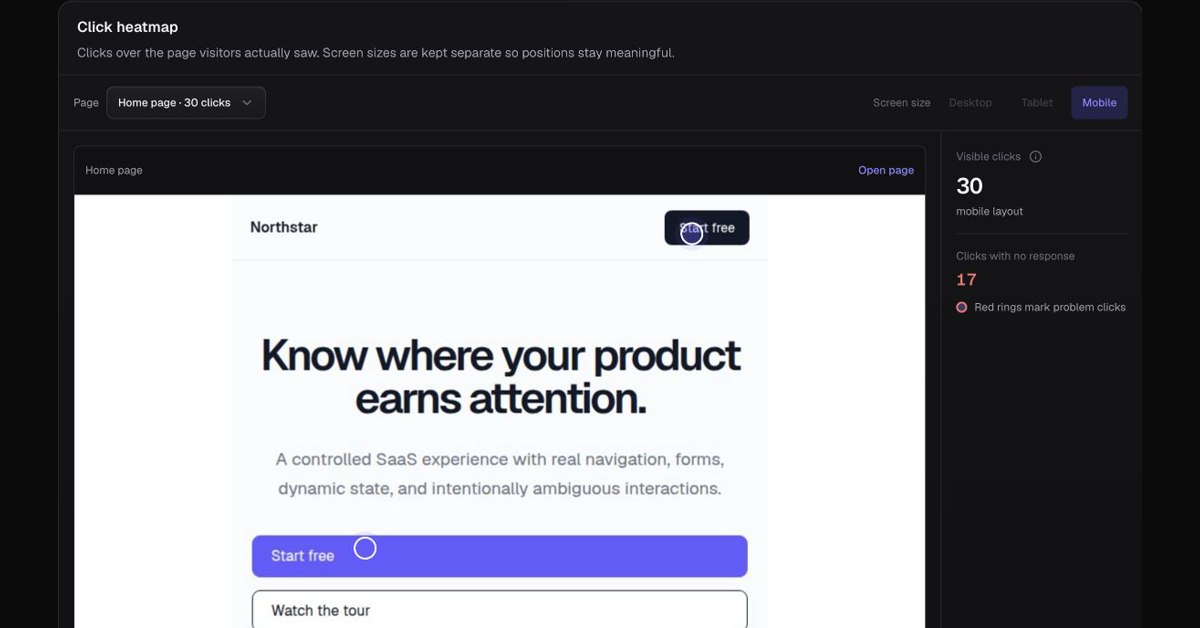
What is a website heatmap?
A website heatmap visualizes activity on a page. Different tools measure different signals: clicks, taps, scroll reach or pointer movement. Conviz’s click visualization helps inspect where recorded interactions occurred; its content analysis separately shows section reach and active attention.
How do I read clicks and taps?
- Choose a page and a comparable screen size. Desktop and mobile layouts can put the same control in different places.
- View the page screenshot and recorded click positions together.
- Check whether the current screenshot matches the page version visitors saw.
- Inspect what the control is expected to do and whether the visit continued.
- Compare with your goal and journey data before deciding what to change.
Can a heatmap show why an ad did not convert?
It can help you inspect what visitors did after arriving, but it does not reveal their thoughts. A cluster of clicks can be expected behavior. Repeated or unresolved clicks need context and a meaningful relationship to the conversion path before becoming a repair priority.
Website heatmaps and Google Analytics
Traffic and outcome reports answer different questions from click positions. If you use GA4, keep its outcome definition consistent with the goal you inspect in Conviz. Conviz is not a heatmap extension for Google Analytics, and a heatmap alone is not a revenue-attribution report.
How should I compare free heatmap tools?
Evaluate whether you can install the tool, inspect the actual page, separate screen sizes and connect interactions to your goal. Check retention and privacy controls. Free heatmaps may be sufficient for a visual question; Conviz also brings journeys, form progression and goal comparisons into the investigation.
What are the limits?
A changed layout or mismatched screenshot can make click positions misleading. Sparse traffic can make a handful of interactions appear important. Active attention is a browser activity measure, not eye tracking. Do not interpret a click map as a recording of everything a person saw.
Inspect the journey next
Explore behavior analytics and read the investigation guide before prioritizing a layout change.
From an early customer
“Very easy. No confusing parts.”
Feedback about using Conviz. This is not evidence of an increase in conversions. Read the customer note.
What is collected?
Conviz measures page paths, safe interaction metadata, field types, device information, and active time. The tracker is designed not to record typed form values, passwords, or payment details. Raw interaction and session records are retained for up to 60 days. Configure masking and exclusions for private regions. Read the full privacy policy.
Common questions
Does Conviz perform eye tracking?
No. Active attention and click positions do not establish where a visitor’s eyes were focused.
Should desktop and mobile clicks be combined?
Keep different layouts and screen sizes separate so positions retain their meaning.
Inspect your own website’s behavior.
Connect your site, confirm incoming visits, and choose a goal worth measuring.
Start tracking your site